Working with an agent
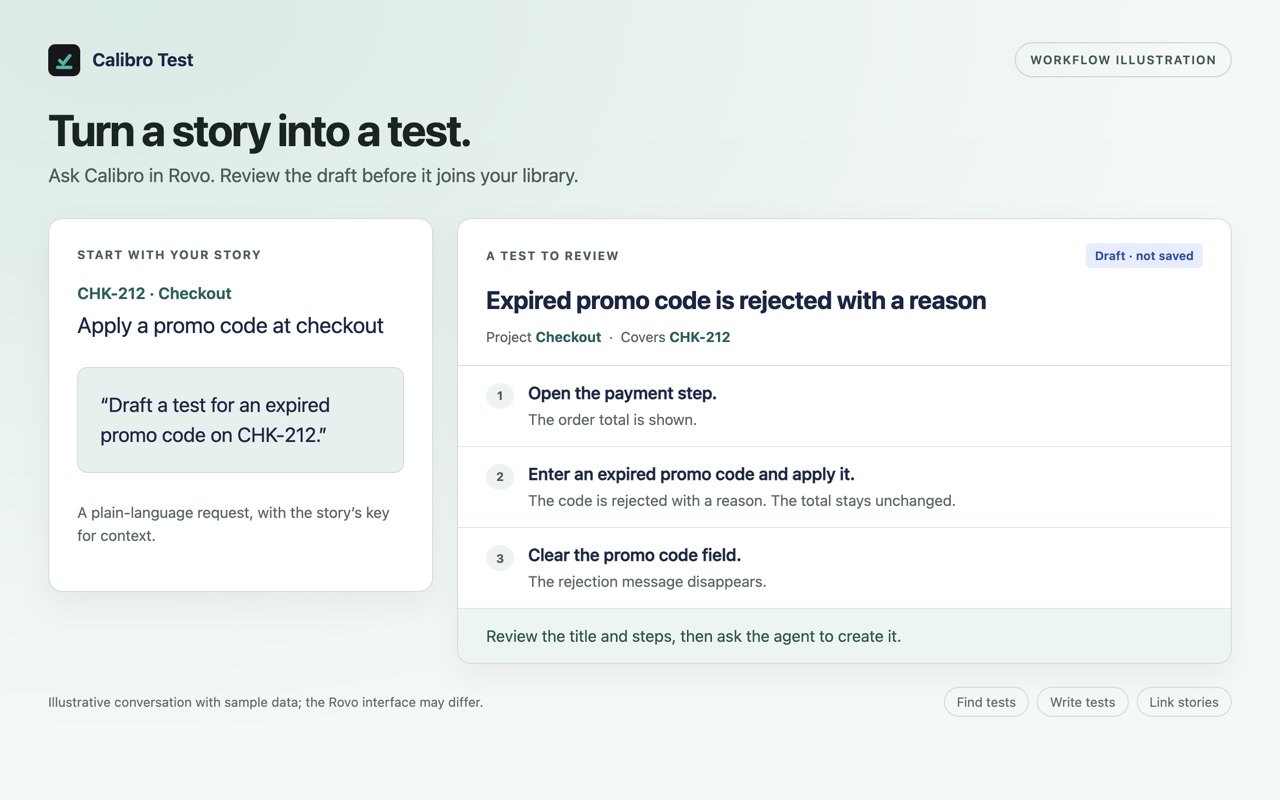
Calibro Test ships its own Rovo agent. Press Ask Calibro at the top of the app and Rovo chat opens on the Calibro Test Agent; or open Ask Rovo anywhere in Jira and switch to it. Then say what you want in plain language — write a test for this story, what tests cover CHK-212, find the tests that have never been run, add a step to T219.
Ask Calibro
The button opens the agent directly, so you never have to find it in Rovo's list. It shows when Rovo is available on your site and hides when it isn't. The agent is the way in: Rovo's default agent does not carry these tools, ours does.
What it can do
Twelve tools, each one the same thing the app's own screens do:
Creating a test from chat is the same as creating one in the editor: it gets a key, it goes in the library, and if you were on a story it covers that story and the story's field follows it. Everything you have open — the library in another tab, the Tests panel — updates the moment the agent writes, with no refresh.
The rules it follows
- It runs as you. Every tool acts under your own Jira permissions and the app's licence; if you couldn't do it on the page, the agent can't either.
- It shows the title and steps before creating a test, and Rovo asks before any tool writes.
- It confirms before deleting a test or unlinking a story.
- It reads a test before changing its steps, because steps given replace all of them.
- It never invents an expected result you did not describe. If a step's outcome is unclear, it asks.
Your own agent in Rovo Studio
Teams that build their own agents in Rovo Studio can add the same twelve tools under Connected apps and write their own instructions around them — a release agent that lists what's uncovered in a fix version, say. The tools are the same, and so are the rules: they run as the person talking, and a mutating tool is refused while the app's subscription is inactive.
In Claude and Claude Code
Calibro Test is listed in Claude’s connector directory. The same twelve tools, run as you, against the same library — so the session in which you built the feature can be the one that writes its tests and links them to the story: write a test for CHK-212 from what we just built.
- Once per Jira site, an admin allows it. In Atlassian Administration, open Settings → Connected apps and turn on Allow external MCP access. Until then Claude can sign in but sees no tools. It is a site setting, not ours; Rovo is unaffected either way.
- Add the connector. Open Calibro Test in Claude’s directory and choose Connect — or, in Claude, open Settings → Connectors and browse for it. On a Team or Enterprise plan, an owner may need to add it for the organization first.
- Sign in and pick the site. Atlassian asks which site to connect. Choose the one Calibro Test is installed on, and accept.
- Ask. What tests cover CHK-212? is a safe first question: it only reads.
Claude Code signed in with the same Claude account picks the connector up with nothing more to do, and so does Claude Desktop.
Two differences from Rovo. There is no review card: Claude asks your permission before calling a tool, unless you have told it to always allow that one — worth keeping for Delete a test and Update a test. And the Calibro Test Agent’s own instructions do not travel with the tools: Claude works from the tool descriptions alone, which carry the essentials — read a test before changing its steps, confirm before deleting or unlinking — but check the title and steps it proposes before you let it create a test, and say so if an expected result looks invented.
What an agent cannot do
Record a run. Walking the steps and deciding each one is a person's job, and there is no tool for it on purpose. Nor can an agent set the Test coverage field: linking a test makes a story covered but not yet run, and only runs decide whether it passes or fails. Automation rules cannot call a tool that writes. And outside Rovo and Claude, ChatGPT, Codex and Cursor are not listed yet — their directories need something from Atlassian’s side first; it is on the roadmap.