Test coverage
Every story on your site has a Test coverage field, and only Calibro Test writes it. It is one word that reduces the newest run of every test covering the story to a verdict — the same facts the Tests panel shows, in a form Jira can filter on.
The five values
The rules, in the order they are checked:
Blocked is deliberately not a verdict of its own at story level. A story whose only test was blocked is neither passing nor failing, and In progress says exactly that.
In JQL, filters and boards
The field is a plain string, so it works wherever a field does:
"Test coverage" = FailingEvery story with a red test, right now.fixVersion = 2.4 AND "Test coverage" in ("Not covered", "Not run")What ships in 2.4 that nobody has tested.sprint in openSprints() AND "Test coverage" != PassingThe sprint's open testing work, for a swimlane.Put a query like the first in a board swimlane and the failing stories float to the top of every column. Put it in a filter gadget and a dashboard counts them. Add the field to a screen and the value sits on the issue view; leave it off and the queries still work, because the field exists whether or not it is shown.
When it updates
After every change that can move it: a step recorded, a run started or finished, a test linked, unlinked or deleted. The write to Jira happens after the change itself has been saved, so a slow Jira never refuses a verdict — if the write fails, the app remembers and retries on the story's next change. The field is read-only, so nobody can set it by hand; that is what makes it worth filtering on.
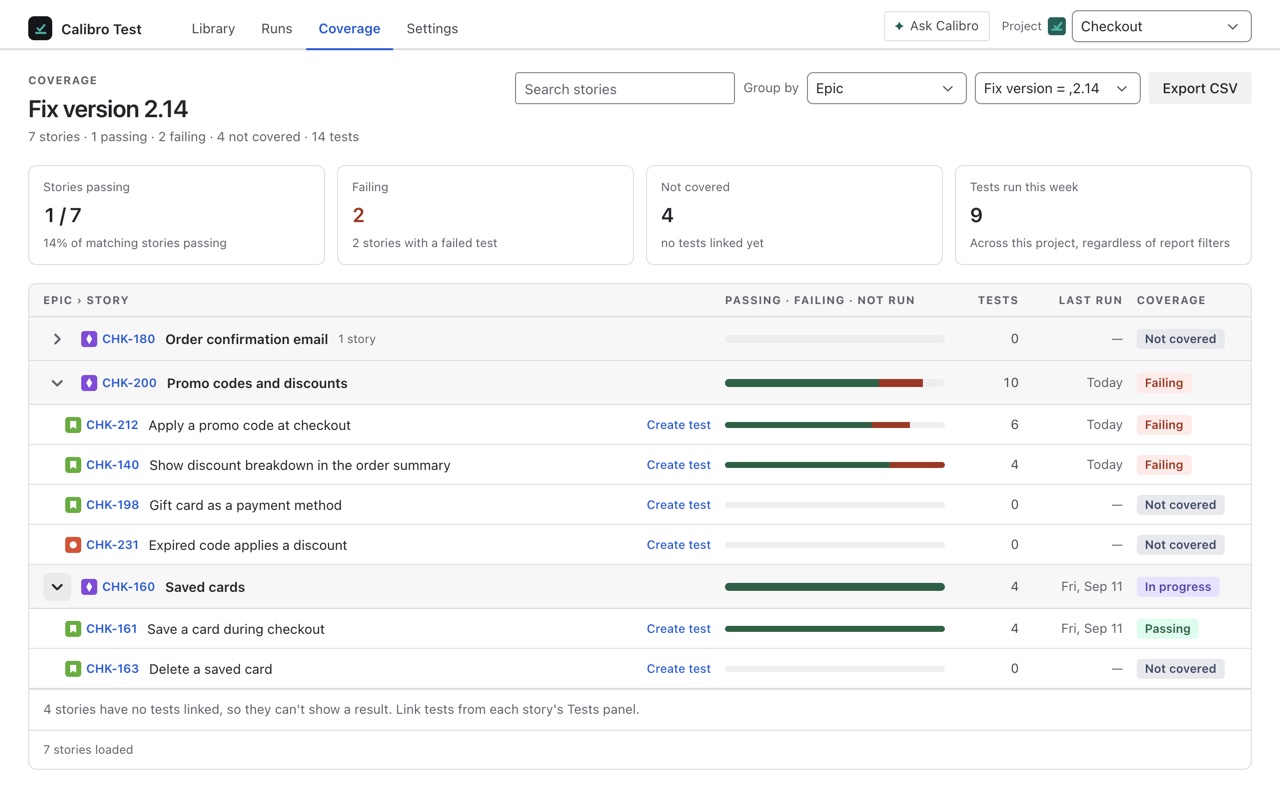
The Coverage tab
The Coverage tab in the app is the same rule applied to every story at once. Choose a fix version, or every story in the project, and group by epic, component, fix version, assignee, priority or status. Four tiles at the top — stories passing, failing, not covered, and tests run this week — and under them every story with its bar of passed, failed and not run, its test count, its last run and its verdict. Search finds a story by key or words in its summary; New test beside an uncovered story opens the editor with it filled in; Export CSV takes the whole thing away.
The report reads Jira's search a hundred stories at a time and says how many it has loaded, with Load more for the rest — a capped list never looks like a complete one. It is computed by the same function that sets the field, so the two can never disagree.