Report approved hours by client, project, or any Jira field.
Your team logs time on Jira issues, approvers sign off each week, and the report groups by anything Jira knows about the issue — client, cost centre, billable flag, your custom fields — on every plan. Approved hours export as a CSV your payroll system already reads. No configuration project, no sales call: install it and log the same day.
Opens the Atlassian Marketplace — it installs into your own Jira site from there.
Free for Jira sites with up to 10 users; bigger sites pay per user, for every user on the site, billed by Atlassian. And your time data never leaves your Jira site.
2h30 or run on a timer.Watch it work
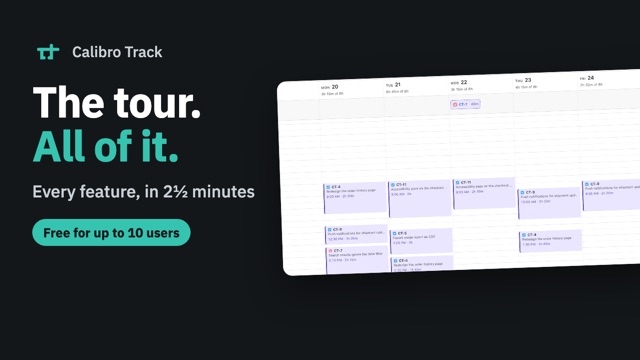
Three recordings, each in a real Jira site.
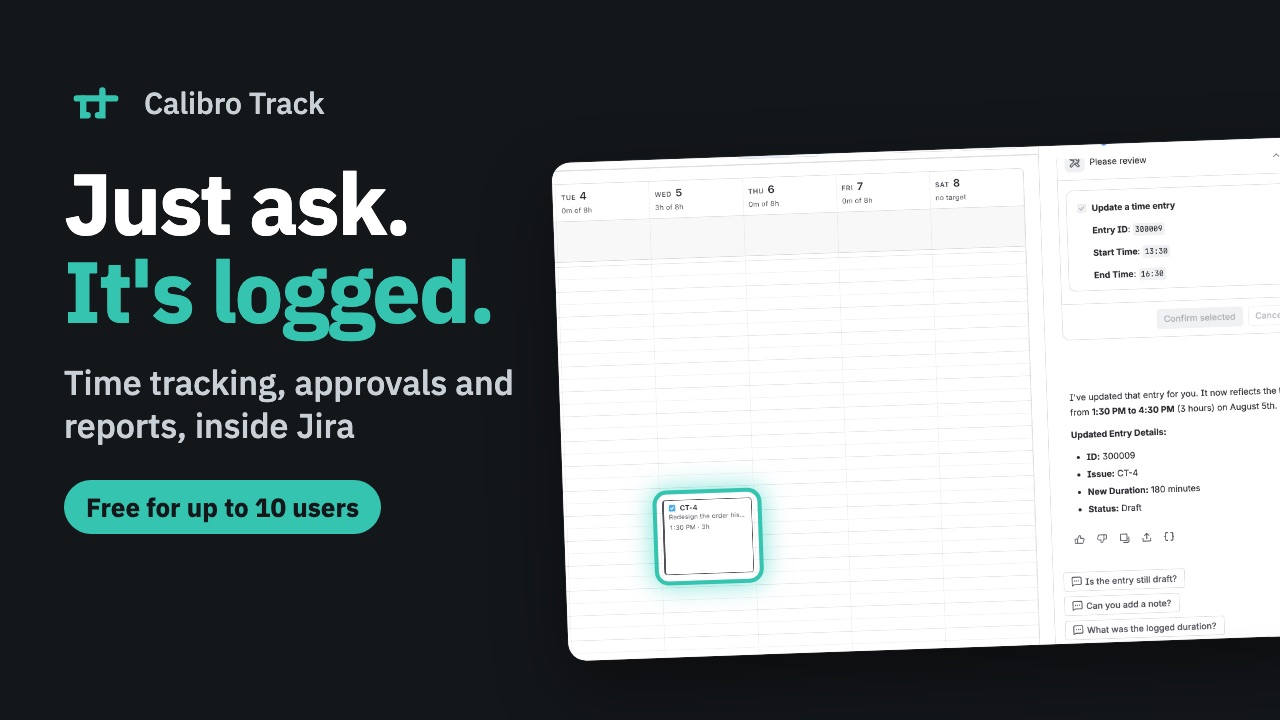
Ask Track to log an afternoon, change it, and submit the week. Then drag an issue onto the calendar, approve a teammate's week, and group a report by component.
Any field is a report dimension
Group by client, cost centre, billable flag, epic — anything Jira knows about the issue. Custom fields are in the same list as the standard ones, on every plan.
Small enough to ignore
Logging a day takes under a minute, and then the app gets out of the way. Nothing you have to learn, nothing to configure before it works.
Nothing leaves your site
Built entirely on Atlassian Forge. Time data is stored and processed inside Atlassian's infrastructure — there's no server of ours for it to travel to.
Using Rovo? Say it instead of typing it.
Calibro Track ships its own Rovo agent. Press Ask Track at the top of the app — or open Ask Rovo in Jira and switch to Calibro Track Agent — and manage your time by saying what you did: log the time we spent on IS-42, what have I logged this week, start a timer on this issue, submit my week.
Behind it are eleven actions — log, list, edit, delete, submit, find issues, and the timer's status, start, stop and discard — every one the same thing the page does, scoped to the person talking and refused where the page would refuse. Rovo shows what it is about to send and waits for you to confirm. No activity is watched and no entry is proposed: you say what you did, and it is written down — and every surface you have open redraws the moment it is.
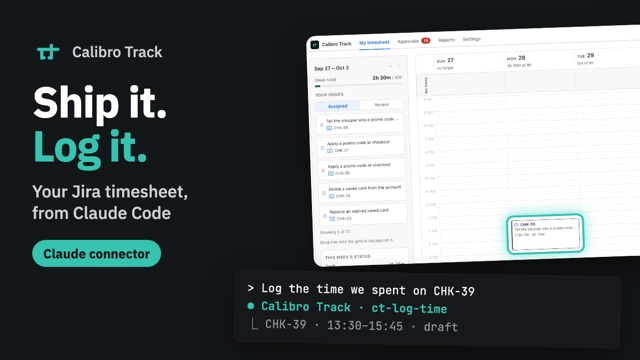
It is part of the app, on every plan, at the same price. Approvals and reporting have joined it since it shipped, and the same tools now work from Claude and Claude Code through Claude's connector directory — the releases below have the detail.
Logging time from an agent — including what an agent cannot do →
Guides
Longer answers to the questions people arrive with.
What's new
Shipping is the roadmap's proof. The latest three, dated on the changelog:
Pricing that fits in one sentence.
Free for Jira sites with up to 10 users. Bigger sites pay US$1.20 per user per month — billed by Atlassian for every user on the site, the same count as your Jira bill — and the rate steps down automatically as the site grows: US$0.80 by 1,000 users, about US$0.21 at the top band. Annual billing costs less again. No feature gates; custom fields on every plan.
Stop paying and your data stays readable and exportable. The Marketplace listing always shows the current price, and the pricing page has the detail.
Install it and see.
Installs from the Marketplace like any Jira app. Uninstalling removes it cleanly.
New, and building in the open.
No customer logos here yet. What there is instead, you can check yourself: a public roadmap, a changelog that starts at the beginning, documentation written before the marketing — and an app that runs entirely inside Atlassian's infrastructure, so your time data never leaves your Jira site.
If something you need is missing, the fastest way to get it built right now is to say so.
Currently on the roadmap
5.0 from its first 2 reviews on the Atlassian Marketplace · read the reviews →